Premiere

【Premiere】散らかったプロジェクトパネルの同名フォルダを簡単整理|BinMerge

takumi
BinMerge

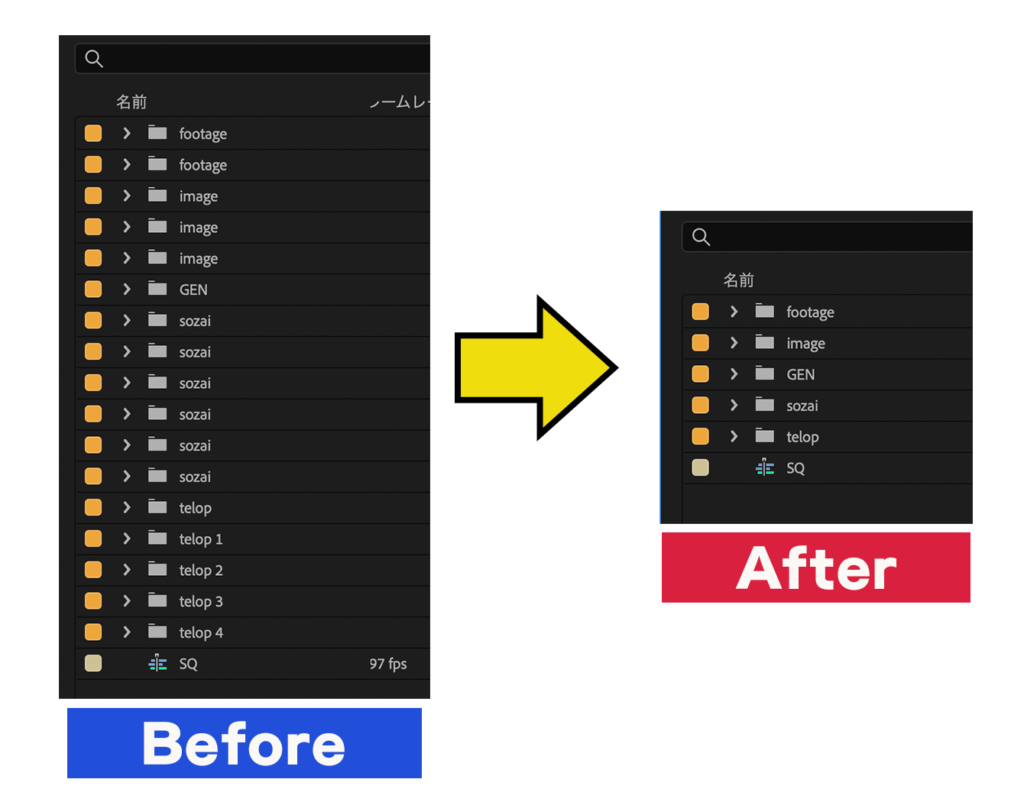
他のプロジェクトやシーケンスからクリップやシーケンスをコピー&ペーストすると、元プロジェクトのビン(フォルダ)まで一緒についてきてプロジェクトパネルに「素材」「素材」「素材」…と同じ名前のビンが散らかっていく

BinMerge は、その散らかった“同じ名前のビン”をワンクリックで1つにまとめるPremiere Pro拡張機能です

■ プロジェクトパネルを一発整理

  • 同名ビンを自動で統合 —「素材」「素材」…を1つにまとめます
  • 入れ子も再帰的に — まとめたビンの中の同名ビンも統合します
  • 素材は消さない(安全設計) — 行うのは移動だけ。映像・音声素材は失われません

■ 使い方

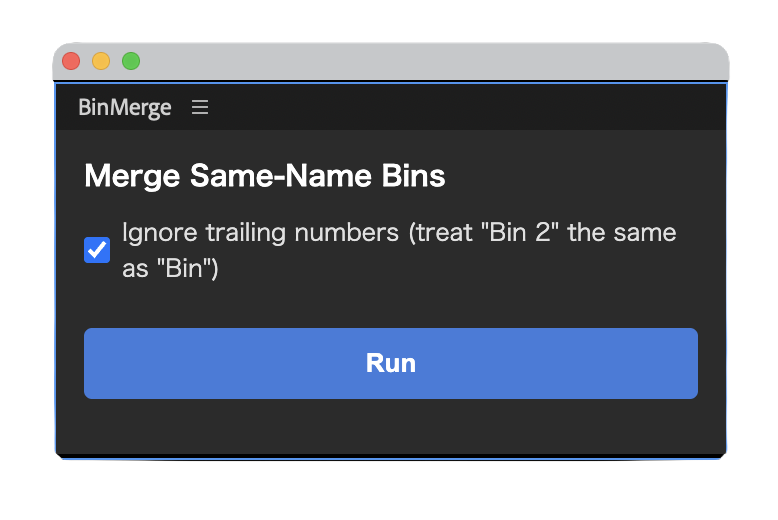
整理したいプロジェクトを開いて、パネル(ウィンドウ > 拡張機能 > BinMerge)を表示します

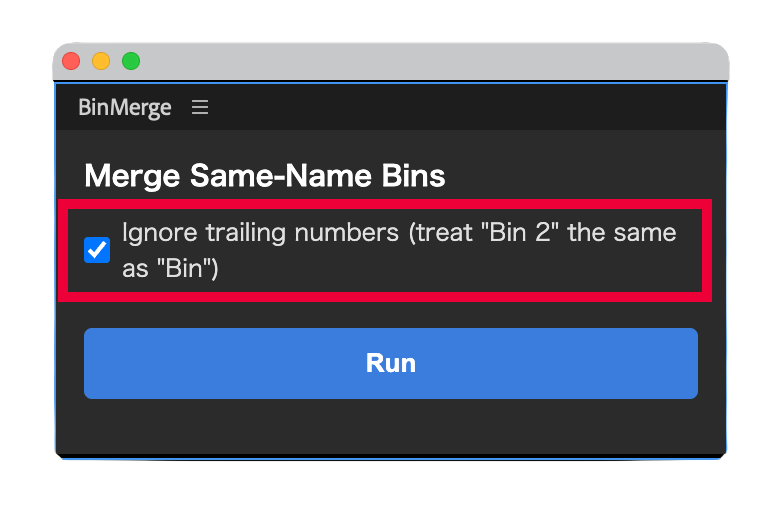
「Ignore trailing numbers(末尾の数字を無視)」にチェックすると“素材 2” なども “素材” と同名扱いでまとめます

「Run」を押すと同じ名前のビンが中身ごと1つに統合されます

■ 動作環境

  • Adobe Premiere Pro 2023 以降で動作確認済み
  • Windows / Mac 両対応

PRICE

¥500

買い切り / 個人・商用利用問わず

購入後、ご登録のメールアドレスにライセンスキーと .zxp のダウンロードURLを自動送信します(数秒〜数分)。Windows / Mac どちらでもお使いいただけます。

■ インストール・ライセンス認証

  1. ダウンロードした .zxp を ZXP Installer などのツールで導入します(Windows / Mac 共通)
  2. Premiere Pro を再起動します
  3. ウィンドウ > 拡張機能 > BinMerge を開きます
  4. ご購入時にメールでお送りするライセンスキー(BMRG-XXXX-XXXX-XXXX)を入力して認証します

BinMerge — Merge duplicate bins in Premiere Pro with one click

When you copy & paste clips or sequences from another project, the bins (folders) from that project come along too — and your Project panel fills up with duplicate bins all named the same: “Footage”, “Footage”, “Footage”…

BinMerge is a Premiere Pro extension that merges those same-name bins — contents and all — into one, with a single click.

Tidy up your Project panel

  • Auto-merge same-name bins — combine “Footage”, “Footage”… into one
  • Recursive — duplicate bins nested inside a merged bin are merged too
  • Your media is safe — it only moves items; footage and audio are never deleted

How to use

  1. Open the project you want to tidy up and show the panel (Window > Extensions > BinMerge)
  2. Optionally check “Ignore trailing numbers” so “Footage 2” is treated the same as “Footage”
  3. Press “Run” — same-name bins are merged into one, contents and all (nested bins too)

System requirements

  • Adobe Premiere Pro 2023 or later
  • Windows / Mac both supported

Installation & license

  1. Install the downloaded .zxp with a ZXP installer (Windows / Mac)
  2. Restart Premiere Pro
  3. Open Window > Extensions > BinMerge
  4. Enter the license key (BMRG-XXXX-XXXX-XXXX) sent to you by email after purchase
ABOUT ME
知多
知多
Adobe 拡張機能・スクリプト開発 / 映像編集
映像編集の現場で20年以上働く中で培った経験から、繰り返し作業を自動化する Adobe 拡張機能・スクリプトを開発・販売しています。 Premiere Pro / Photoshop / After Effects 向けのツールが中心。「より早く、より効率的に」をコンセプトに、現場で本当に使える道具づくりを目指しています。
記事URLをコピーしました