ColorToSwatches — Auto-Build a Color Palette from Any Image (Photoshop Script)
Stop picking colors one by one with the eyedropper. ColorToSwatches automatically extracts the colors actually used in your open image and registers them into the Swatches panel, ordered from most to least used.
How to use
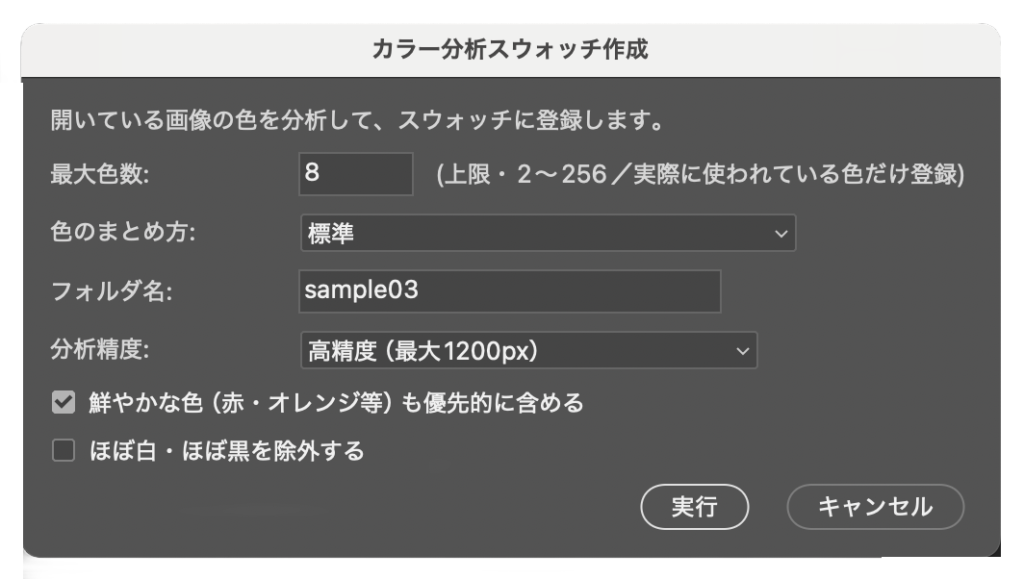
Open the dialog and set the options from top to bottom.
Set the maximum number of colors, a folder (group) name, the grouping level and analysis precision.
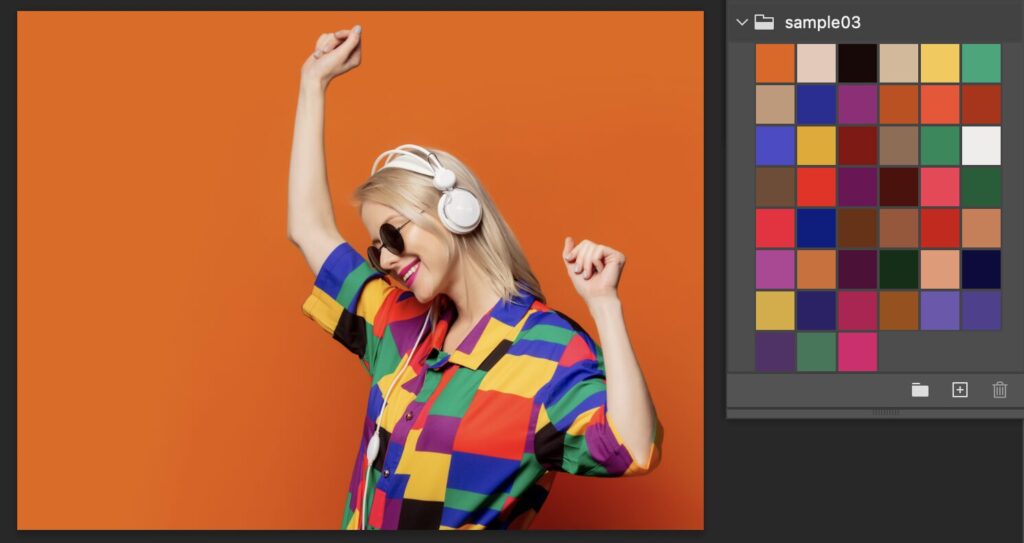
Click Run — a new folder appears in the Swatches panel with the colors ordered by usage.
Features
Automatically extracts the colors actually used in the image
Adjustable max color count, color grouping (rough / standard / fine) and analysis precision
Option to prioritize vivid colors (small but vivid reds, oranges, etc.)
Your original image is never modified
System requirements
macOS / Windows both supported
Adobe Photoshop (a version that supports script execution)
In Photoshop choose File → Scripts → Browse… and select ColorToSwatches.jsx. Putting it in Photoshop’s Presets/Scripts folder adds it to the File → Scripts menu. No license key is needed.
FAQ
The number of extracted colors is adjustable via the dialog.
New colors are added to a new folder in the Swatches panel; your existing swatches are kept.
ABOUT ME
知多
Adobe 拡張機能・スクリプト開発 / 映像編集
映像編集の現場で20年以上働く中で培った経験から、繰り返し作業を自動化する Adobe 拡張機能・スクリプトを開発・販売しています。
Premiere Pro / Photoshop / After Effects 向けのツールが中心。「より早く、より効率的に」をコンセプトに、現場で本当に使える道具づくりを目指しています。