Premiere

【Premiere】マーカーからYouTube用のチャプターを作成する拡張機能|Chapter Export

takumi
Chapter Export

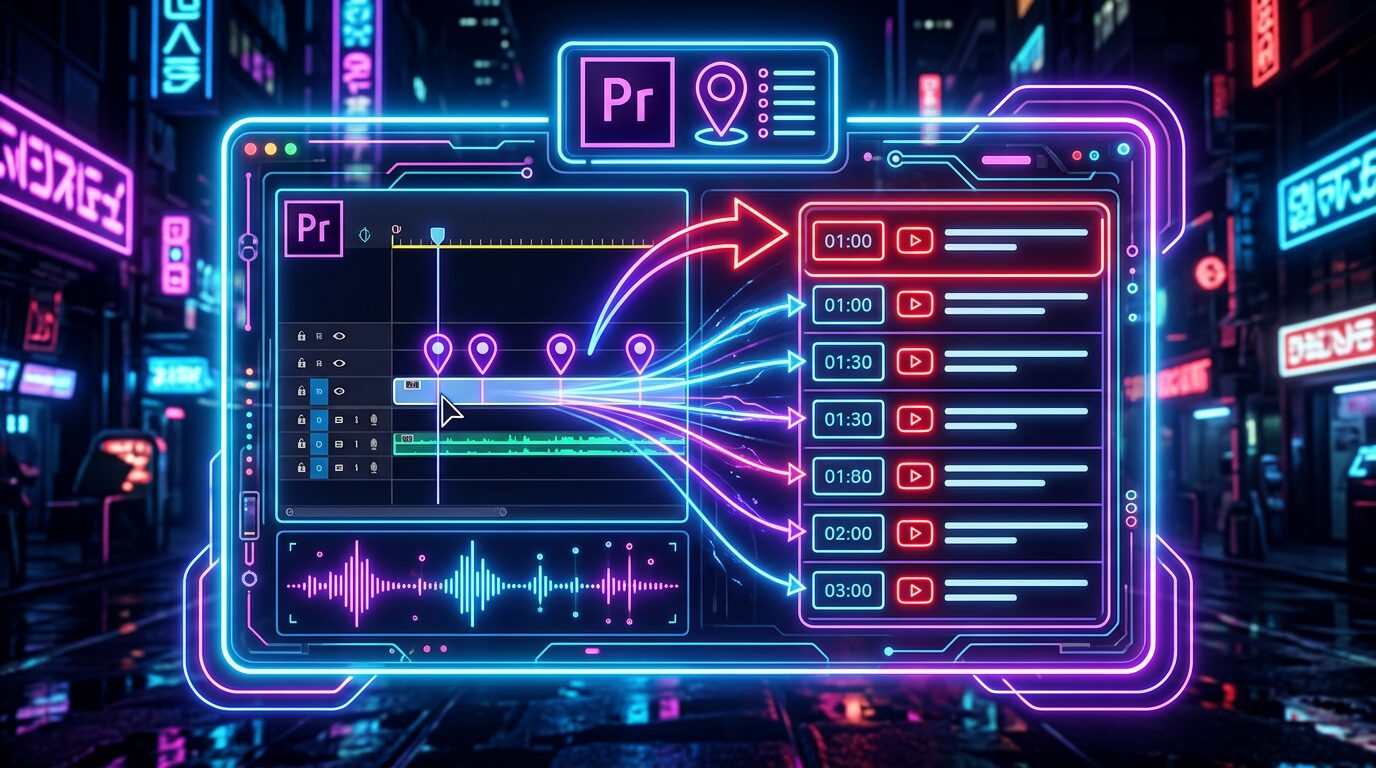
Premiere のタイムラインに打ったマーカーを、YouTube の概要欄に貼れるチャプター形式に一発で変換する Premiere Pro 用拡張機能です。タイムラインに打たれたマーカーからチャプター一覧を自動で作成します。

使い方

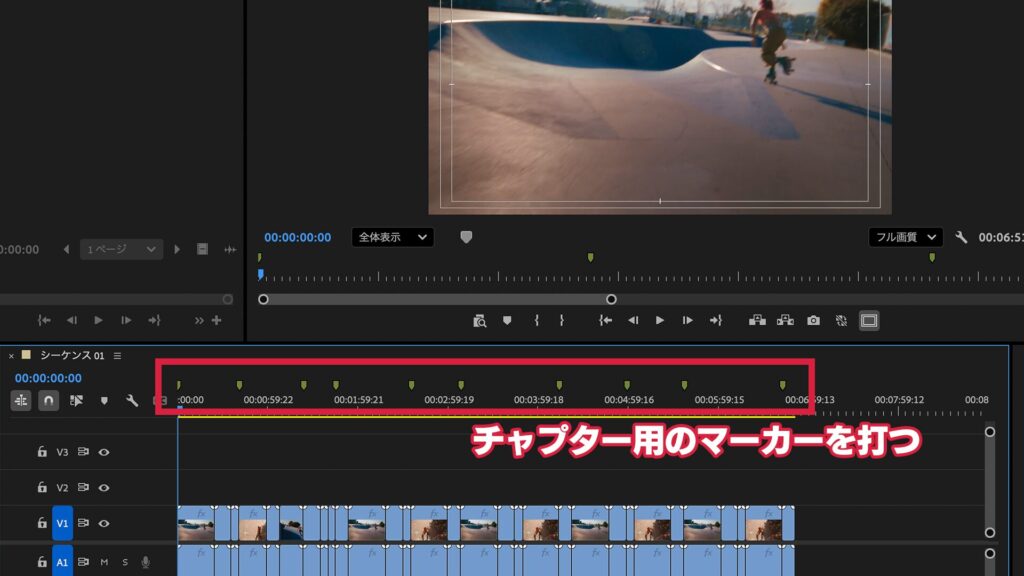
チャプターをつけたいところでタイムラインにマーカーを打ちます

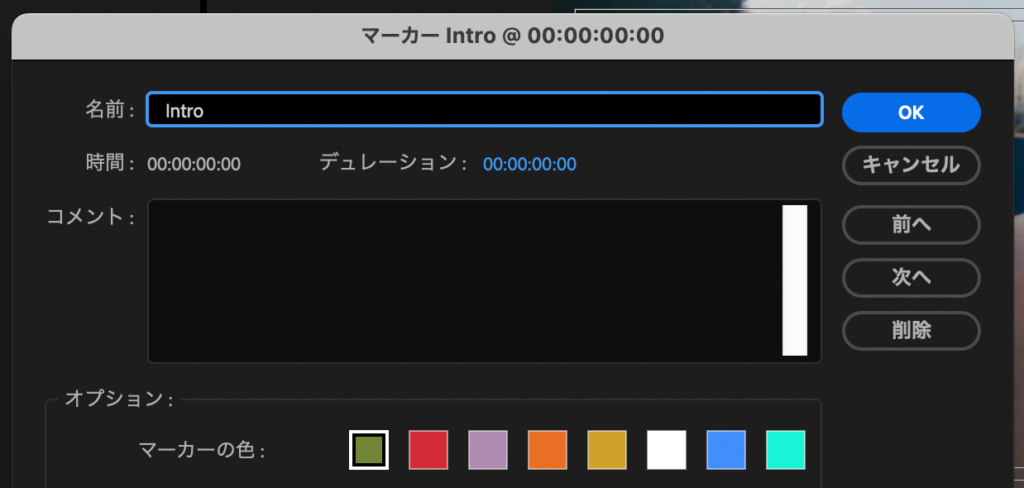
マーカーに名前をつけておけば、そのマーカー名がそのままチャプター名になります

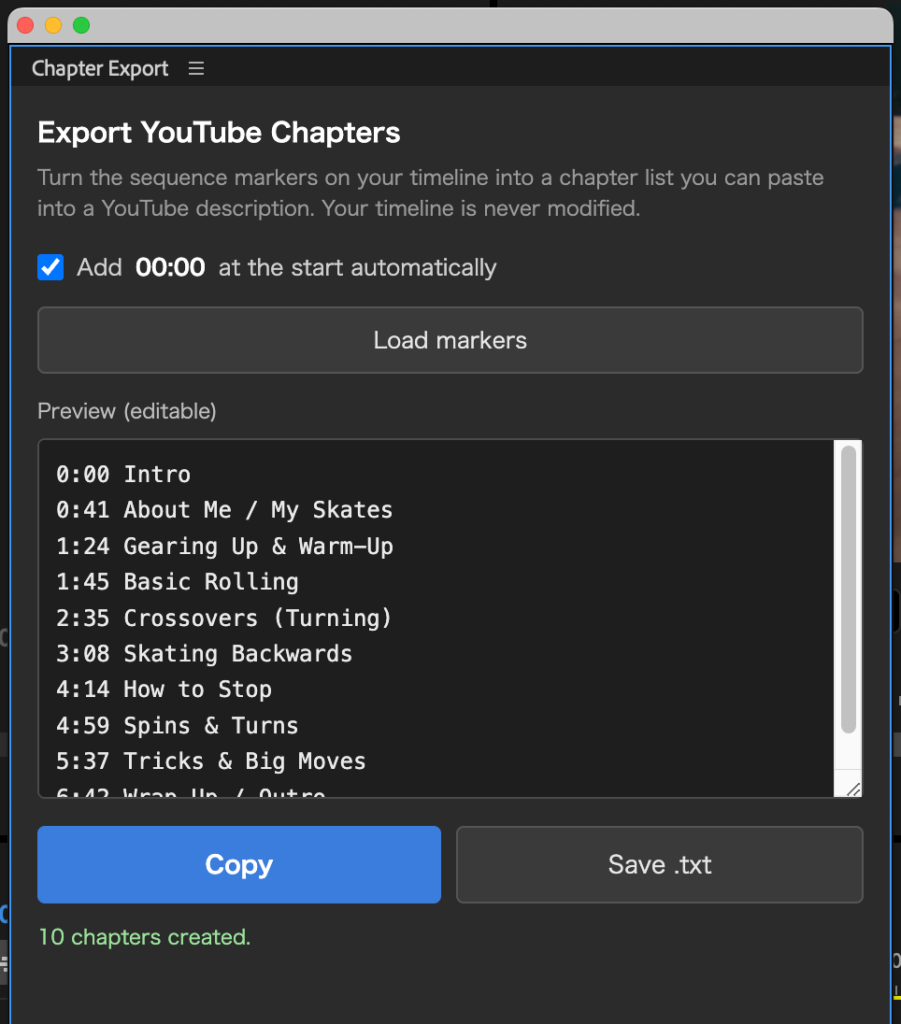
「ウィンドウ」→「エクステンション」→「Chapter Export」を実行すると
タイムラインに打ったマーカーがYouTube形式のチャプター一覧として表示されます

チャプター一覧は直接入力も可能です

チャプター名が空のマーカーは「Chapter 2」などで自動補完

「Copy」で概要欄に貼り付け、または「Save .txt」でファイル保存ができます

動作環境

Adobe Premiere Pro 2023(23.0)以降
Mac / Windows 両対応

PRICE(Mac / Windows)

¥500

買い切り / 個人・商用利用問わず

購入後、ご登録のメールアドレスにライセンスキーと、Mac版(.pkg)・Windows版(.zxp)両方のダウンロードURLを自動送信します(数秒〜数分)。1つのライセンスキーで Mac / Windows 両方ご利用いただけます。

■ インストールとライセンス認証

Mac版:購入後に届く .pkg をダブルクリック → Premiere Pro 起動 → ウインドウ → エクステンション → Chapter Export → メールのライセンスキー(CHEX-XXXX-XXXX-XXXX)を入力して認証

Windows版:ZXP インストーラーで ChapterExport-Win.zxp を導入 → Premiere Pro 起動 → ウインドウ → エクステンション → Chapter Export → メールのライセンスキー(CHEX-XXXX-XXXX-XXXX)を入力して認証

※ Windows版のインストールには「ZXPインストーラー」(無料)が別途必要です(aescripts ZXP Installer など)

Chapter Export — Turn Timeline Markers into YouTube Chapters (Premiere Pro)

Chapter Export is a Premiere Pro extension that turns the markers on your timeline into a YouTube chapter list you can paste straight into your description.

How to use

  1. Add sequence markers (M key) where you want chapters — the marker name becomes the chapter title.
  2. Click “Load markers” in the panel to build the YouTube chapter list automatically.
  3. Click “Copy” to paste into your description, or “Save .txt” to save a file.

Features

  • Auto-converts sequence markers into YouTube chapter format (“00:00 Intro / 01:23 Main…”)
  • Copy or save as .txt
  • Auto-adds 00:00 and checks YouTube rules (3+ chapters, 10s+ each)
  • Read-only — never changes your timeline
  • One-time purchase (no subscription)

System requirements

  • Adobe Premiere Pro 2023 (23.0) or later
  • Mac and Windows both supported — one purchase covers both

Price: ¥500 (one-time purchase, personal & commercial use OK)

Get it / Download

Mac: Paid (¥500, license required). After purchase, your license key and the .pkg installer download link are emailed to you automatically (within seconds to a few minutes).

Buy Chapter Export (Mac & Windows) — ¥500

Windows: Your purchase also covers Windows. After buying, both the Mac (.pkg) and Windows (.zxp) download links are emailed to you.

Installation & license

Mac: Double-click the .pkg → launch Premiere Pro → Window → Extensions → Chapter Export → enter the license key from the email (CHEX-XXXX-XXXX-XXXX).

Windows: Install ChapterExport-Win.zxp with a ZXP installer → launch Premiere Pro → Window → Extensions → Chapter Export → enter the license key from the email (CHEX-XXXX-XXXX-XXXX).

Note: Installing the Windows version requires a free “ZXP installer” (e.g. aescripts ZXP Installer).

FAQ

  • Chapter names come from your marker names; empty markers are auto-filled as “Chapter 2”, etc.
  • Your timeline is never modified — markers are only read.
  • One purchase covers both Mac and Windows (same license key).
ABOUT ME
知多
知多
Adobe 拡張機能・スクリプト開発 / 映像編集
映像編集の現場で20年以上働く中で培った経験から、繰り返し作業を自動化する Adobe 拡張機能・スクリプトを開発・販売しています。 Premiere Pro / Photoshop / After Effects 向けのツールが中心。「より早く、より効率的に」をコンセプトに、現場で本当に使える道具づくりを目指しています。
記事URLをコピーしました